
Here's something that might ruin your morning: a hacker can steal your account while you're entering your 2FA code. Not after. Not by guessing it. While you type it in, watching it happen in real time.
Before you rip out your authenticator app in frustration — don't. Two-factor authentication is still one of the best things you can do for your security. Google found that adding SMS 2FA blocks 100% of automated bot attacks and 96% of bulk phishing. That's incredible.
But "96% of bulk phishing" isn't 100% of targeted phishing. And the gap between those two numbers is where things get interesting.
The trick: real-time phishing proxies
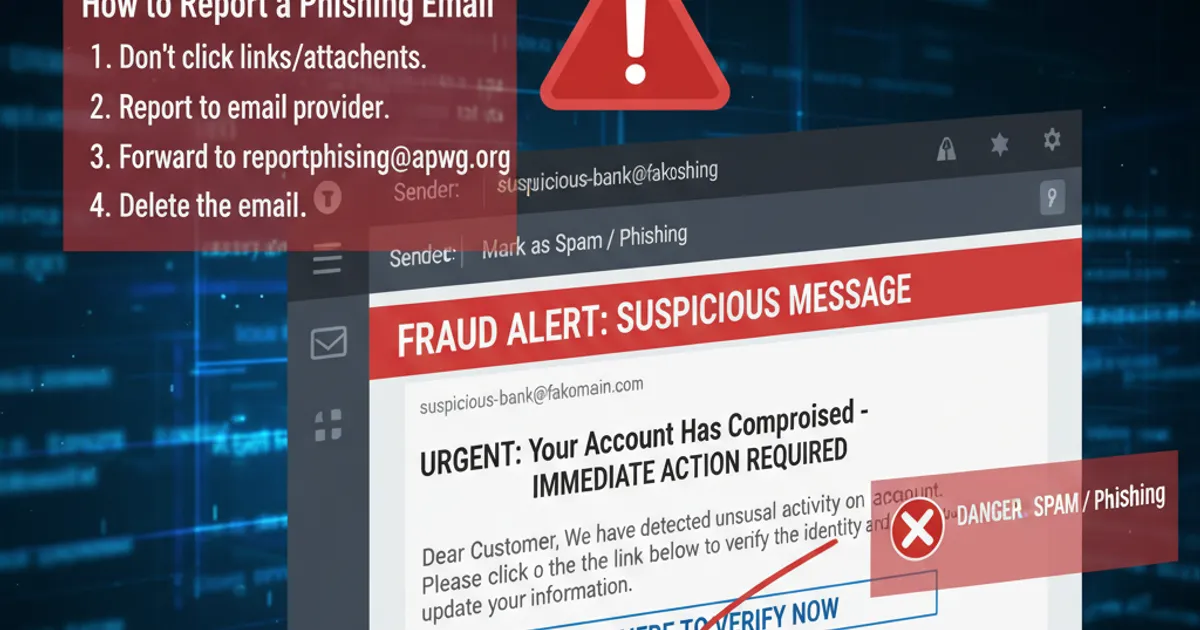
Traditional phishing works like this: you land on a fake login page, type your password, and the attacker takes it. Simple. If you have 2FA enabled, the attacker gets your password but can't use it — they don't have your second factor.
So attackers got creative. Tools like Evilginx and Modlishka act as invisible middlemen. Here's exactly what happens:
You click a link in a phishing email that takes you to
accounts-g00gle.com(or something equally sneaky)The phishing server sits between you and the real Google login page
You type your email and password. The proxy forwards it to Google in real time
Google asks for your 2FA code. The proxy shows you that prompt
You enter your code. The proxy forwards it to Google. Google accepts it
Google sends back a session cookie. The proxy grabs it, forwards you to your inbox (so nothing seems wrong), and now the attacker has your authenticated session
The whole thing takes about 15 seconds. You never noticed anything was off. You're reading your emails. Meanwhile, the attacker is also reading your emails — from a different browser, using the session cookie they intercepted.
This isn't theoretical. Microsoft reported in 2022 that they'd observed over 10,000 organisations targeted by adversary-in-the-middle (AiTM) phishing campaigns over a 10-month period. These attacks specifically targeted Office 365 session cookies, bypassing MFA completely.
Session hijacking: the cookie monster problem
Even without a phishing proxy, your session can be stolen after you've authenticated. Malware like Raccoon Stealer and RedLine specifically target browser cookies. They don't need your password or your 2FA code — they need the cookie your browser stores after you've already logged in.
Think of it this way: 2FA is the bouncer at the door. Once you're inside the club and have a wristband (your session cookie), anyone who copies that wristband gets in too. The bouncer doesn't check twice.
In January 2024, security researchers found that malware could even regenerate expired Google session cookies using stolen tokens — meaning even logging out and back in didn't always invalidate the attacker's access.
SIM swapping: the original 2FA bypass
If you're still using SMS for two-factor authentication, there's an older and simpler attack to worry about. SIM swapping is when an attacker convinces your mobile carrier to transfer your phone number to a SIM card they control.
It sounds hard. It isn't. In 2021, the FBI's Internet Crime Complaint Center received 1,611 SIM swapping complaints with losses exceeding $68 million. Attackers use social engineering, bribed carrier employees, or fake ID documents. T-Mobile alone disclosed that a breach in 2023 allowed attackers to access customer data that could facilitate SIM swaps.
Once they have your number, every SMS 2FA code goes to them. Every password reset via text goes to them.
So what actually works?
Don't panic. And definitely don't turn off 2FA — that would be like removing your seatbelt because it won't help in every crash. Here's the hierarchy of what works, from good to best:
SMS 2FA (good, but the weakest) Still blocks automated attacks. Still better than nothing. But vulnerable to SIM swapping and real-time phishing proxies. Use it if it's your only option, but upgrade when you can.
Authenticator apps like Google Authenticator, Authy (better) Not vulnerable to SIM swapping. But still vulnerable to real-time phishing proxies — if you type the code into a fake site, the proxy forwards it just the same.
Push notifications like Microsoft Authenticator, Duo (better still) Harder to phish because you approve on your device, and better implementations show you a number to match. But fatigued users have been known to approve prompts just to make them stop — Uber's 2022 breach happened exactly this way, when a teenager spammed an employee with push notifications until they approved one.
Hardware security keys like YubiKey and passkeys (best)
This is the gold standard. FIDO2 hardware keys and passkeys are phishing-resistant by design. Here's why: the key cryptographically binds to the real website's domain. If you're on accounts-g00gle.com instead of accounts.google.com, the key simply won't respond. It doesn't matter how convincing the page looks — the cryptography doesn't care about visual appearance.
Google gave all 85,000+ employees hardware security keys in 2017. In the years since, they've reported zero successful phishing attacks against employee accounts. Zero.
Passkeys — the newer, phone-based version of this technology — bring the same phishing resistance without needing a separate device. Apple, Google, and Microsoft all support them now, and adoption is growing fast.
What you should actually do
Keep 2FA on. Seriously. It still blocks the vast majority of attacks
Move to an authenticator app if you're still on SMS. It takes five minutes
Get a hardware key for your most important accounts — email, banking, password manager. A YubiKey costs about £25 and lasts years
Set up passkeys wherever they're offered. Google, Apple, Microsoft, GitHub, and many others support them now
Watch for session-stealing malware. Keep your browser and OS updated, don't install random extensions, and be cautious with downloads
Check your active sessions periodically. Gmail, Microsoft 365, and most major services let you see where you're logged in and revoke sessions you don't recognise
The uncomfortable truth is that no single security measure is unbreakable. But layered defences — strong passwords, phishing-resistant MFA, and healthy scepticism about unexpected emails — make you a very hard target.