
Let's talk about something that probably keeps you up at night more than you'd admit: your parents getting scammed online.
Maybe your mum called last week asking if an email from "HMRC" was real. Maybe your dad clicked a link and now his computer is acting strange. Maybe you've tried to explain phishing three times and they still don't quite get why a bank would send a fake email.
You're not alone. Age UK reports that an older person in England and Wales becomes a victim of fraud every 40 seconds — equivalent to over 800,000 older victims per year. The over-65s are disproportionately targeted because they tend to be more trusting, less familiar with digital tactics, and — let's be honest — often have more savings than younger people.
But here's the thing: you can actually do something about it. Not by lecturing them (that doesn't work), but by setting up real, practical defences and having one honest conversation.
Why your parents are targeted (it's not because they're stupid)
First, let's drop any hint of condescension. Your parents aren't gullible. They grew up in a world where:
- A phone call from the bank was from the bank
- A letter with an official logo was official
- People generally didn't impersonate institutions for profit
- Trust was the default, not suspicion
The internet broke all of those assumptions, and nobody sat them down for a course on it. They're applying reasonable real-world instincts to an unreasonable digital world.
Scammers target older adults specifically because:
- They check email regularly and tend to read everything (unlike younger people who ignore most of their inbox)
- They're more likely to trust authority — an email from "HMRC" or "the NHS" carries real weight
- They may not know how to verify sender addresses, link destinations, or security certificates
- They often have savings, pensions, and home equity — higher payoffs for scammers
- They're less likely to talk about it — shame is a powerful silencer, which means scams go unreported and sometimes continue
How to have the conversation (without making them feel like children)
This is the hardest part. Nobody likes being told they're vulnerable, especially by their own kids. Here's what works:
Don't lead with fear. "Mum, you're going to get scammed" puts them on the defensive. Instead, share a story: "I nearly fell for a fake email last week — it looked exactly like it was from Amazon. Let me show you what I mean."
Make it about everyone, not them. "These scams are getting so good that even tech people get caught. The bank sent me a warning about it." This removes the implication that they're uniquely at risk.
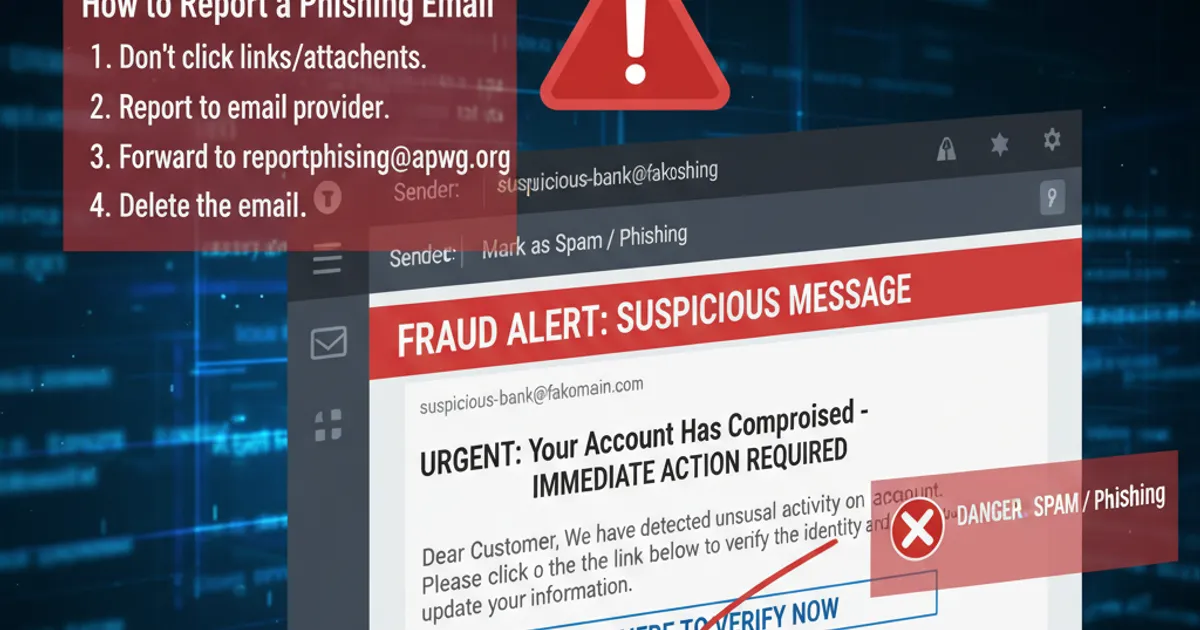
Show, don't tell. Open your own email with them. Find a spam or phishing email and walk through it together. Show them how to hover over a link, how to check a sender address, how the scam page looks almost-but-not-quite right.
Keep it to one or two rules. Don't overwhelm them with a 15-point security checklist. Give them one rule they can actually remember (see below).
Respect their intelligence. They managed life perfectly well before the internet. Acknowledge that. The problem isn't them — it's that the rules of communication have fundamentally changed.
The "call me before you click" rule
If you only do one thing from this article, make it this.
Agree on a simple rule together: "If you get an email asking you to click a link, enter a password, or pay something, call me first."
That's it. Not "never click links" (unrealistic). Not "always check the sender domain" (they'll forget how). Just: call me.
This works because:
- It's simple enough to remember
- It gives them a clear action to take instead of a vague "be careful"
- It creates a 30-second pause between receiving the scam and potentially falling for it — and that pause is everything
- It keeps you in the loop so you can help them evaluate
Put your number on a sticky note on their monitor if it helps. Seriously.
The expanded version for more independent parents: "If an email asks you to do something urgent — log in, update payment, verify your identity — go to the website yourself by typing the address into your browser. Don't click the link in the email."
Practical things you can set up for them (this weekend)
Here's the real value of this article. These are things you can do for them that dramatically reduce their risk:
1. Bookmark their important sites Open their browser and bookmark:
- Their bank's actual website
- HMRC's real site (
gov.uk) - Their email provider
- Any services they use regularly (Amazon, NHS, utility providers)
Tell them: "If you ever get an email about any of these, use the bookmark to go to the real site — don't click the link in the email."
2. Set up a password manager This is transformational. If they're reusing the same password everywhere (they probably are), a password manager fixes the single biggest vulnerability in their digital life.
Good options for less technical users:
- 1Password — clean interface, family plans available (you can manage their vault)
- Apple Keychain — if they're all-Apple, this is the easiest. It's already there.
- Bitwarden — free, open source, works everywhere
You'll need to sit with them for an hour to set this up and migrate their important passwords. It's worth the time investment.
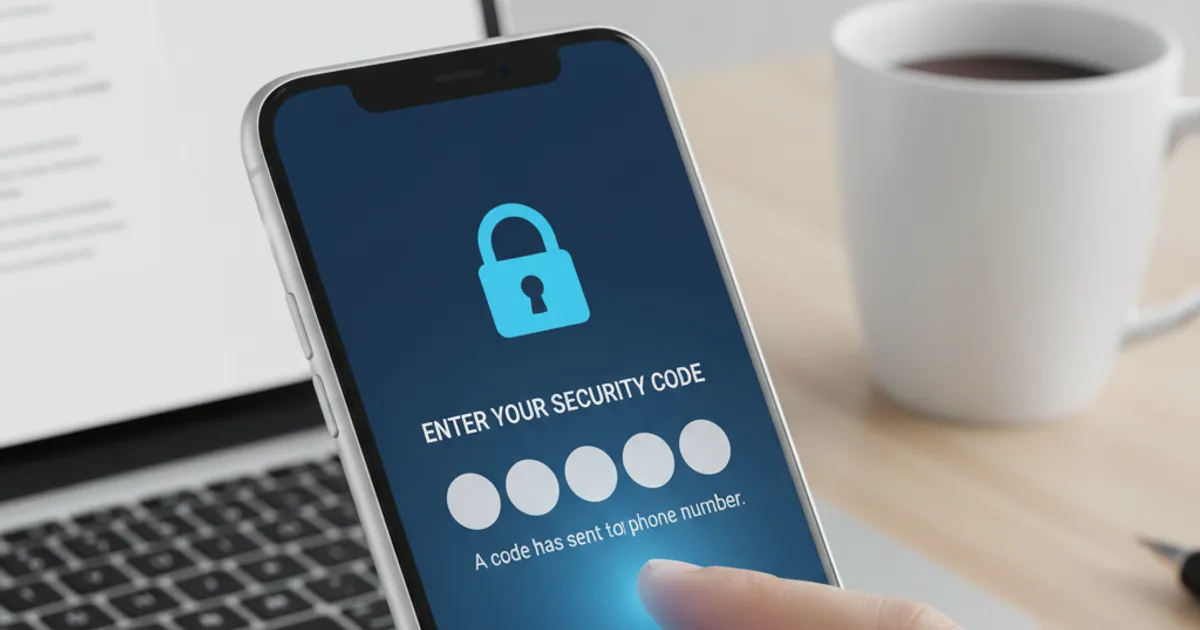
3. Enable two-factor authentication on their email Their email is the master key. If a scammer gets into their email, they can reset passwords on everything else. Set up 2FA — ideally using an authenticator app, but even SMS-based 2FA is miles better than nothing.
4. Turn on bank notifications Most UK banks let you enable instant notifications for any transaction. Set this up so they (and optionally you) get a ping whenever money moves. This means even if a scam succeeds, you'll know immediately.
5. Update their devices Make sure automatic updates are turned on for their phone, computer, and browser. Many attacks exploit known vulnerabilities that have already been patched.
6. Install an ad blocker A lot of scam exposure comes through dodgy ads on websites. uBlock Origin on their browser removes these entirely and makes the web safer and faster.
7. Set up their email's spam filtering Most email providers (Gmail, Outlook) have built-in phishing protection that can be strengthened in settings. Make sure it's turned on and configured well.
The scams your parents are most likely to encounter
Help them recognise these specific scenarios:
"HMRC tax refund" — "You're entitled to a refund of £268.35. Click here to claim." HMRC will never email about refunds. They use post, or your Government Gateway account.
"Your bank account has been compromised" — "Click here to secure your account." Banks will never ask you to click an email link to secure your account. Call them using the number on the back of your card.
"NHS appointment / COVID booster / health record" — NHS emails come from @nhs.net or @nhs.uk. They won't ask for payment or card details.
"Amazon / Royal Mail delivery" — Covered in our delivery scams guide, but your parents are especially susceptible if they order online regularly.
"Computer has a virus" — Pop-ups or emails saying "Your computer is infected. Call this number." Microsoft will never contact you about a virus. Ever.
Tech support calls — Not email, but extremely common. "This is Microsoft/BT/your internet provider. We've detected a problem with your computer." They'll ask for remote access. Always a scam. Help your parents understand that legitimate companies never cold-call about computer problems.
What to do if they've already been scammed
Don't panic, and don't make them feel worse. Shame is why many older people don't report scams or ask for help. They need you to be calm and practical, not angry.
If they gave out bank or card details:
Call the bank immediately. Every major UK bank has a 24/7 fraud line:
- Barclays: 0800 400 100
- HSBC: 0800 783 7626
- Lloyds: 0800 020 4060
- NatWest: 0800 051 4065
- Santander: 0800 9 123 123
- Nationwide: 0800 030 4057
- TSB: 0800 096 8669
The bank can freeze the card and often reverse recent fraudulent transactions
Request new cards
If they gave out personal information (name, address, date of birth, National Insurance number):
Register with CIFAS (Credit Industry Fraud Avoidance System) for protective registration — this adds a warning flag to their credit file so lenders take extra checks. It costs £25 for two years.
cifas.org.uk/protective-registrationSign up for a free credit monitoring service (Credit Karma, ClearScore) to watch for unusual activity
Be alert for follow-up scams — once someone has your details, they may try again
If they gave out an email password:
Change the password immediately
Check for email forwarding rules — scammers often set up a rule to forward all incoming mail to themselves. Check Settings → Forwarding.
Change passwords on any account that uses that email for password resets
Enable 2FA
If they clicked a link or installed something:
Run a malware scan (Malwarebytes free version works well)
Check for unfamiliar browser extensions and remove them
If they installed remote access software (TeamViewer, AnyDesk), uninstall it and change all passwords
If in doubt, take the computer to a reputable local IT shop
Report it:
- Action Fraud:
actionfraud.police.ukor 0300 123 2040 - Forward phishing emails to
[email protected] - Forward scam texts to 7726
- Citizens Advice scam helpline: 0808 250 5050
The ongoing conversation
This isn't a one-time setup. Check in regularly:
- Ask them casually about any weird emails they've received lately
- Share news stories about scams (normalises the topic)
- Review their email's spam folder occasionally to see what's getting through
- Update their devices when you visit
- Celebrate when they spot a scam on their own ("Mum texted me about a dodgy email instead of clicking it — proud moment")
Make it a normal part of your relationship, not an annual lecture. The goal is to keep the channel open so they come to you before something goes wrong, not after.
A note on dignity
One last thing. Your parents gave you everything. They taught you how to navigate the world when you were young. Now the world has changed faster than anyone could reasonably be expected to keep up with, and they need a bit of help navigating it back.
Approach it with the same patience and kindness they showed you when you were learning. They deserve that.